
📁 Lists Are Containers
One desktop widget can hold multiple lists. Work list, personal list, shopping list — create as many as you want. Switch with one tap in the top-left corner, see exactly what you need.
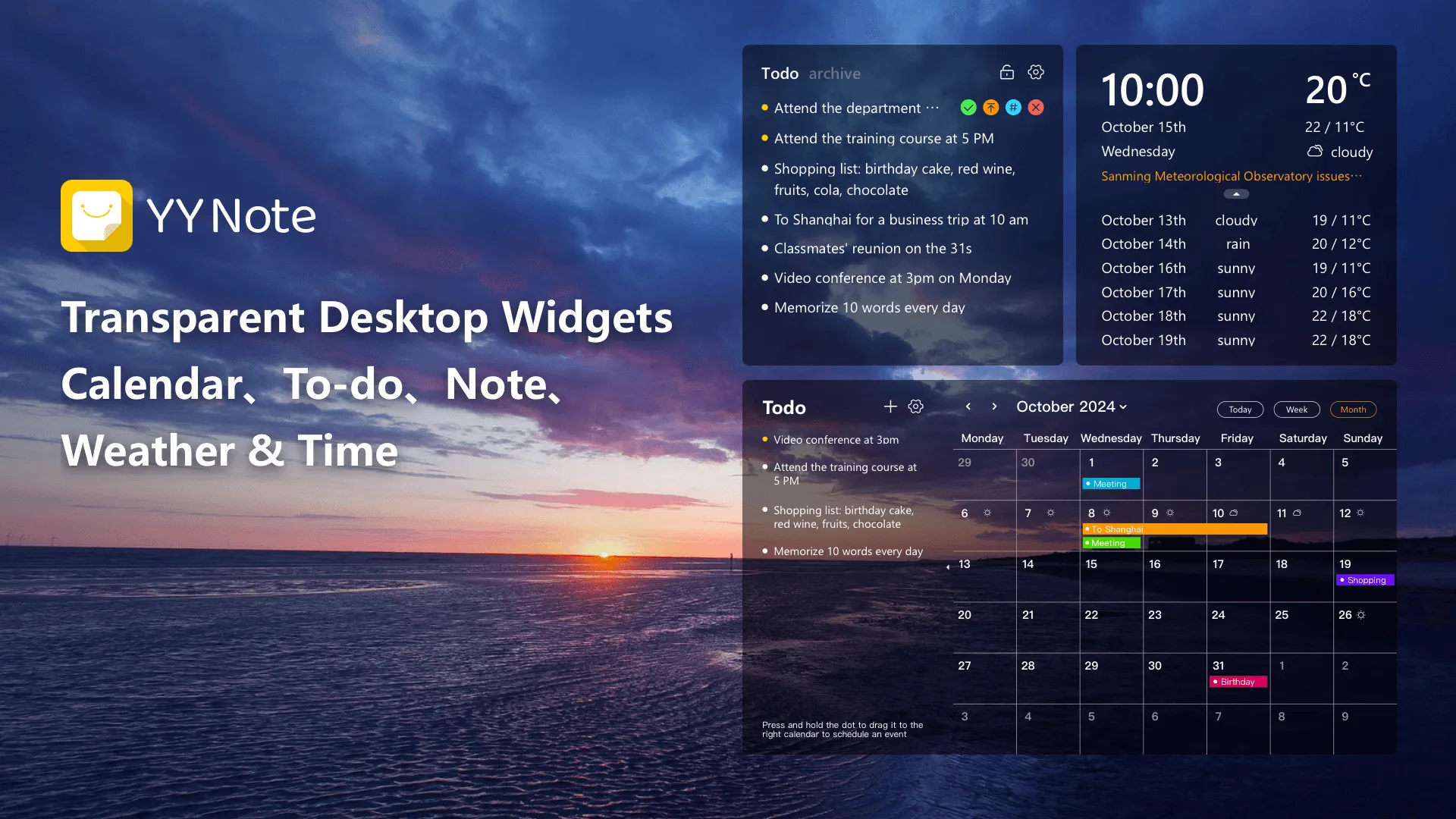
YYNote floats todos, sticky notes, calendar, and weather right on your wallpaper. Transparent, non-blocking, visible at startup.
Most productivity tools are “apps” — you have to open them to see anything. YYNote is “part of your desktop” — widgets are fully transparent and layered on your wallpaper surface. You browse your wallpaper, drag files around, and they’re just there.
Windows, Android, and HarmonyOS all support transparent floating windows. iOS does not support transparent effects yet, but the app experience is consistent and data syncs across all platforms.
📁 Lists Are Containers
One desktop widget can hold multiple lists. Work list, personal list, shopping list — create as many as you want. Switch with one tap in the top-left corner, see exactly what you need.
🏷️ Tags Work Across Lists
A single todo can have multiple tags. Lists support tag filtering — e.g., show only items tagged “urgent”, hide the rest. Categorize without creating folders.
🧩 One Widget, Four List Types
Switch in the widget’s top-left corner: Todos / Sticky Notes / Events / Countdowns.
The countdown list also shows the next 3 upcoming holidays.
Calendar and weather are independent widgets — enable only when needed.
📝 Desktop Sticky Notes
Jot anything down, stuck on your desktop forever.
Perfect for ideas, meeting highlights, shopping lists.
Sticky Note Details →
✅ Desktop Todos
Reminders pop up on time · Recurring tasks auto-generated · Countdown.
Set once, runs automatically every day.
Todo Details →
📅 Desktop Calendar
Month/Week/Day views · Lunar calendar + holidays · Drag to reschedule.
Events appear in a corner of your desktop — visible means unforgettable.
Calendar Details →
🌤️ Desktop Weather
Real-time weather + 7-day forecast + extreme alerts.
Glance before heading out, no need to grab your phone.
Weather Details →
📱 Cross-Platform Sync
Windows / Android / iOS / HarmonyOS — one account, synced everywhere.
🔁 Recurring Tasks
Auto-generated daily/weekly/monthly/yearly/by lunar calendar, smart compensation during shutdown.
📊 Countdown
Shows “X days left” on the list — stronger sense of progress.
🔔 Reminders
Todos and events pop up on time, nothing gets missed.
🧠 Smart Recognition
Type in natural language to auto-create todos.
🏷️ Auto-Tagging
New todos and sticky notes automatically get the list’s tag.
📦 Auto-Archive
Archived by completion date, one-click full export.
🔗 Calendar Sync
CalDAV / Exchange — connect WeCom, DingTalk, Feishu, system calendars.
🕐 Desktop Clock
Digital clock + date + lunar calendar display.
🎨 Personalization
Adjustable transparency, background color, font size, font color.
🙈 Privacy Hide
Auto-hide near screen edge · One-key hide via shortcut.
Membership follows your account, works across all devices · 7-day full-feature trial upon registration
1-Year Plan
$28
$2.33/month
3-Year Saver Plan
$58
$1.61/month
5-Year Saver Plan
$88
$1.47/month
Subscriptions via iOS/Google Pay do not support 7-day no-questions refunds
7-day no-questions refund, Learn about refund policy