
🛡️ Fully Transparent
The memo widget floats transparently on your wallpaper — no clutter, no taskbar space taken.
Transparency effect not yet supported on iOS, but the app experience is consistent.
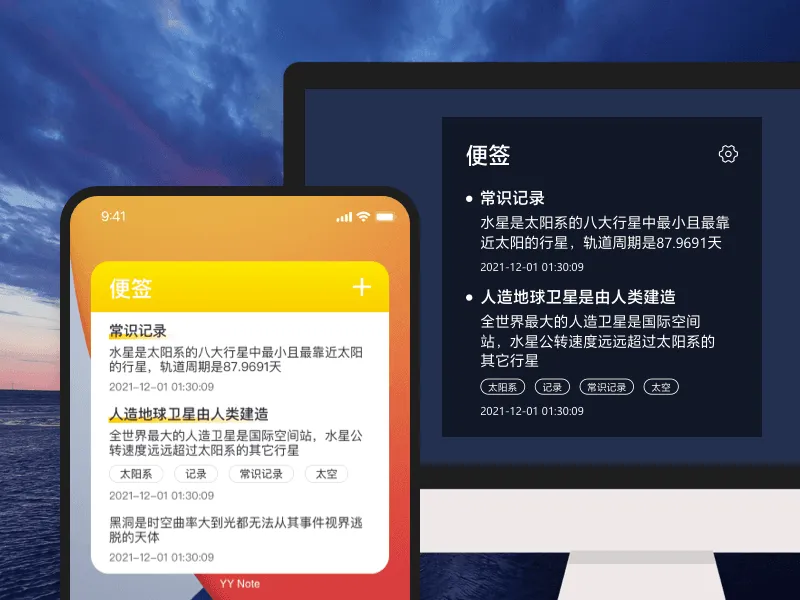
Pin your memos directly onto your desktop wallpaper. See them every time you return to the desktop — no digging through files, no searching.
YYNote’s memo widget is fully transparent — you see only the text, not the widget border. It sits on your wallpaper without blocking your background or cluttering your taskbar. Every time you boot up, there it is: today’s reminders, meeting notes from earlier, the shopping list for the weekend.
Windows and Android support transparent floating widgets. All platforms sync in real time — write it on your computer, see it instantly on your phone.
One desktop widget can hold multiple memo lists. Work memos go in the work list, personal memos in the life list, shopping memos in the shopping list. One tap at the top-left to switch between them.
Tag your memos to search across lists. “Renovation” notes might be scattered across shopping, work, and personal lists — filter by the tag and they all appear.
The desktop widget’s top-left corner also switches between todo, schedule, and countdown lists. Beyond memos, you can manage tasks, check your schedule, and count down to important dates — one widget, four uses.
🛡️ Fully Transparent
The memo widget floats transparently on your wallpaper — no clutter, no taskbar space taken.
Transparency effect not yet supported on iOS, but the app experience is consistent.
📱 Multi-Device Sync
Memos written on your computer appear instantly on your phone.
One account, synced across Windows, Android, iOS, and HarmonyOS.
🏷️ Tag Management
Tag your memos, filter by tags.
One memo can have multiple tags — no need to create folders.
⚡ Minimal, Distraction-Free
No ads, no popups, no notification badges.
Open and write, close and done. Nothing extra.
✏️ New Memo
Floating toolbar on PC / bottom button on mobile — one tap to create.
📝 Edit Inline
Click a memo to edit directly, auto-saved.
📌 Pin & Sort
Drag to reorder, important memos always stay on top.
📦 Auto-Archive
Archived by completion date, one-click full export.
🔗 Format Support
Text, links, checkbox lists — plain text is enough.
🎨 Customization
Adjustable transparency, background color, font size, and text color.
🙈 Privacy Hide
Auto-hide near screen edge · one-key hide with shortcut.
Membership follows your account, works across all devices · Sign up for a 7-day full-feature free trial
1-Year
$28
$2.33/month
3-Year
$58
$1.61/month
5-Year
$88
$1.47/month
iOS and Google Play subscriptions do not support 7-day no-questions refund
7-day no-questions refund, see refund policy
Transparent Desktop Sticky Notes →
Transparent Desktop Todo →
Transparent Desktop Calendar →
Transparent Desktop Weather →