
What's the Difference Between Schedules and Todos?
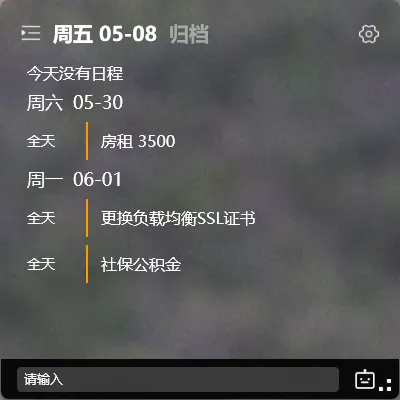
Sometimes it’s hard to decide whether to record something as a todo or a schedule.
The deciding factor is simple: Does this have a clear start and end time?
Core Difference
Section titled “Core Difference”| Todo | Schedule | |
|---|---|---|
| Time attribute | No fixed time | Has start and end time |
| Display location | Todo list | Todo list + Calendar / Schedule list |
| Typical scenario | Call client tomorrow | Meeting at 2-3 PM |
| Calendar display | No (unless schedule type) | Yes |
| Reminder | Supported | Supported |
What a Schedule Is
Section titled “What a Schedule Is”A schedule is essentially a todo with a start and end time.
It has all the properties of a todo (reminder, completion status, tags) and also appears on the calendar, showing you specific time blocks.
When to Use a Schedule
Section titled “When to Use a Schedule”Things that occupy a defined time block — use a schedule:
- 2:00 PM to 4:00 PM: Project review meeting
- Saturday 10:00 AM to 12:00 PM: Personal training session
- Tomorrow 9:00 AM to 10:00 AM: Monthly report
These tasks are characterized by occupying a block of time, not just a single point in time, and you need to see the time distribution on your calendar.
When to Use a Todo
Section titled “When to Use a Todo”Things with no fixed time, or just a specific point in time — use a todo:
- Call the client tomorrow (specific point in time — use a reminder)
- Finish the project proposal this week (no fixed time — use a todo)
- Buy milk (no time requirement — use a todo)
Todos and Schedules Are Interchangeable
Section titled “Todos and Schedules Are Interchangeable”YYNote has a practical feature: drag a todo onto the calendar, and it automatically becomes a schedule.
On the desktop calendar widget, drag the dot in front of a todo to a specific time on the calendar. Release — the system automatically sets start and end times, converting the todo into a schedule.
Final Thoughts
Section titled “Final Thoughts”No flashy new features, just continuous refinement. Choosing the right recording method makes subsequent management much more efficient.