
How to Sync Calendars? Manage WeCom, DingTalk, Feishu in One Place
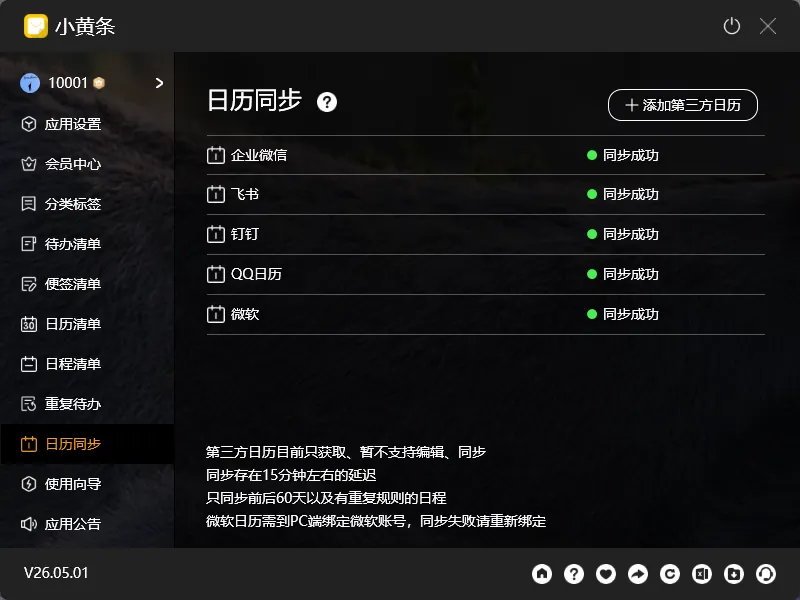
Many people use several calendars simultaneously: WeCom (WeChat Work) for work, Feishu (Lark) for personal, sometimes others too. Schedules scattered everywhere — checking this week’s appointments means opening three or four apps.
YYNote’s calendar sync brings all calendars into one interface.
Which Calendars Can Be Synced
Section titled “Which Calendars Can Be Synced”| Calendar Service | Connection Method |
|---|---|
| WeCom (WeChat Work) | Via WeCom email account CalDAV |
| DingTalk | DingTalk CalDAV interface |
| Feishu (Lark) | Feishu CalDAV interface |
| QQ Mail / Tencent Enterprise Mail | CalDAV protocol |
| Outlook | Exchange or CalDAV |
| iCloud | CalDAV |
| Other CalDAV-compatible calendars | Generic CalDAV connection |
How to Add Calendar Sync
Section titled “How to Add Calendar Sync”- Open Settings → Calendar Sync → Add
- Select calendar type (WeCom / DingTalk / Feishu / Email, etc.)
- Follow the prompts to complete account authorization
- Once added, the calendar’s schedules will automatically appear in YYNote’s calendar and schedule list
What You’ll See After Syncing
Section titled “What You’ll See After Syncing”Synced third-party calendar schedules display in YYNote’s:
- Desktop calendar widget (month/week/day views)
- Schedule list
Different calendar sources can be shown in different colors for easy distinction.
Filter by Source
Section titled “Filter by Source”The calendar dashboard supports filtering by calendar source:
- Show only WeCom schedules
- Hide Feishu schedules
- Use colors to distinguish sources
Important: Read-Only for Now
Section titled “Important: Read-Only for Now”Currently, calendar sync is one-way: YYNote reads schedules from third-party calendars but does not support syncing edits back. To edit a schedule, please return to the original calendar app.
Final Thoughts
Section titled “Final Thoughts”No flashy new features, just continuous refinement. Bringing schedules scattered across multiple services onto one desktop calendar is when time management truly becomes efficient.