
Best Desktop Reminder Tool: Never Miss a Task on Your PC
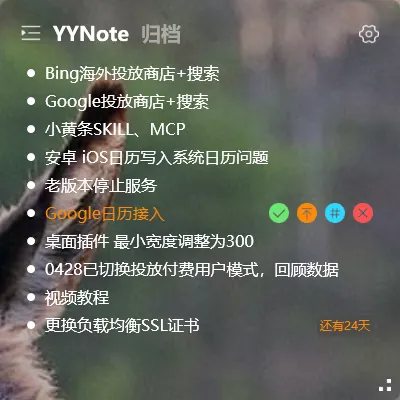
“Forgetting” isn’t about not caring — it’s about not having the right desktop reminder tool.
Phone alarms work, but you might not check your phone. Calendar notifications work, but you might not have it open. The most reliable reminder is one that pops up on the screen you’re already using.
Desktop Reminders vs Phone Reminders
Section titled “Desktop Reminders vs Phone Reminders”| Scenario | Phone Reminder | Desktop Reminder |
|---|---|---|
| Working on your computer | ❌ May not check phone | ✅ Popup on screen |
| In a meeting | ❌ Silent or vibrate | ✅ Popup visible at a glance |
| Full-screen gaming | ❌ Can’t see | ✅ Notification tray |
| After work | ✅ Always with you | ❌ Computer is off |
If you spend most of your day at a computer, desktop reminders are more reliable than phone reminders.
How YYNote Desktop Reminders Work
Section titled “How YYNote Desktop Reminders Work”YYNote’s todo feature supports three reminder types:
Time-based reminders: Set a specific time and get a desktop popup. Example: Meeting at 3pm → 2:55 popup says “Prepare for meeting.”
Advance reminders: Get notified before an event. Example: Meeting at 10am tomorrow → notify me 15 minutes before.
Recurring reminders: For tasks that happen on a schedule. Submit your weekly report every Friday → set it once and it repeats automatically.
How Desktop Notifications Work
Section titled “How Desktop Notifications Work”Windows Toast Notifications appear in the bottom-right corner of your screen — the same notification channel as email and messaging apps. Sound + text, clearly visible even when you’re busy with something else.
You can snooze or dismiss them, just like any other notification.
Combined with Todo Management
Section titled “Combined with Todo Management”The key advantage: reminders come directly from your todo system. When the popup appears, you can click to see the full task details. No need to open another app to figure out what to do next.
Set a reminder for “Send client proposal” → popup shows up → click to view the full notes and details of that task.
Great Reminder Scenarios
Section titled “Great Reminder Scenarios”- Daily check-in / clock-out reminders
- Weekly report submission
- Monthly bill payments
- Project deadline reminders
- Medicine or water break reminders
The point isn’t to have lots of reminders — it’s to never miss the important ones.
For detailed reminder setup, check the reminder tutorial.