
Missed a Todo? How to Set Up Reminders That Actually Work
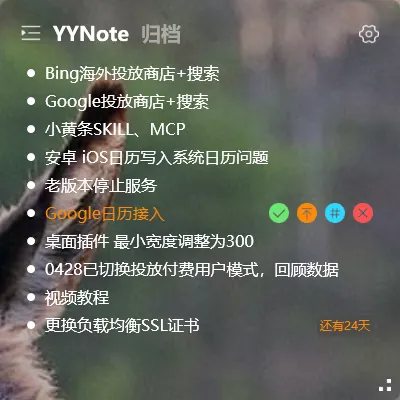
Missing a task usually isn’t about having a bad memory — it’s about setting up reminders the wrong way.
How to Set Reminder Timing
Section titled “How to Set Reminder Timing”The golden rule of reminders: leave enough preparation time.
For example, if you have a meeting at 3 PM, setting the reminder for exactly 3 PM doesn’t give you time to prepare.
We recommend setting reminders well before the event:
- Meeting reminders: 15–30 minutes early
- Important calls: 10–15 minutes early
- Daily tasks: 5–10 minutes early
This way, when the reminder arrives, you still have time to prepare instead of being caught off guard.
One-Day-Ahead Reminders
Section titled “One-Day-Ahead Reminders”For truly important items, you can set two reminders:
- One reminder the evening before (to mentally prepare for the next day)
- A second reminder 15 minutes before the event (final confirmation)
To set this up, add two reminder time points when editing a todo.
Use Recurring Tasks for Periodic Items
Section titled “Use Recurring Tasks for Periodic Items”Some tasks get missed simply because they happen on a regular schedule but rely on your memory alone.
For these types of tasks (submitting a weekly report every Friday, paying bills on the 1st of every month), set up recurring rules. The system will automatically generate a new task each time it’s due and send a reminder — no need to remember yourself.
What to Do If You Don’t Receive Reminders
Section titled “What to Do If You Don’t Receive Reminders”If the reminder time arrives and you don’t get a notification:
- Check if system notifications for YYNote are being blocked (some security software restricts background notifications)
- Make sure YYNote is added to your system’s allowed notification list
- Double-check that the reminder time is set correctly (AM vs. PM mix-ups happen)
Final Thoughts
Section titled “Final Thoughts”No flashy new features, just continuous refinement. Reminders are the last line of defense against forgetfulness. Set them up properly, and you won’t miss the important things.